
Route 1 of 3
Paste a product link and verify what imports
A product URL gives the agent a specific listing to try. The official help page names supported examples, but the imported page still needs a variant, price and stock check.
Tutorial images below are older official UI examples. Amounts, offers, routes and account values shown are not current quotes. Open an image for the full-size source.
What the link route actually reads
The supported-platforms help article, checked 2026-10-10, names the marketplaces whose links auto-crawl into an orderable listing: Taobao, Tmall, 1688 and JD.com. Paste a product-page URL from any of them into the big search bar and the page rebuilds the listing with an English frame around the seller's Chinese content.
The same article adds two things worth keeping. First, the operator says it is working on connecting more Chinese platforms, which is a statement of intent, not coverage. Second, it says that when a link cannot be identified and crawled, you can fill in the product facts manually. That second sentence is the official admission that this route has an edge, and the manual form is what waits past it.
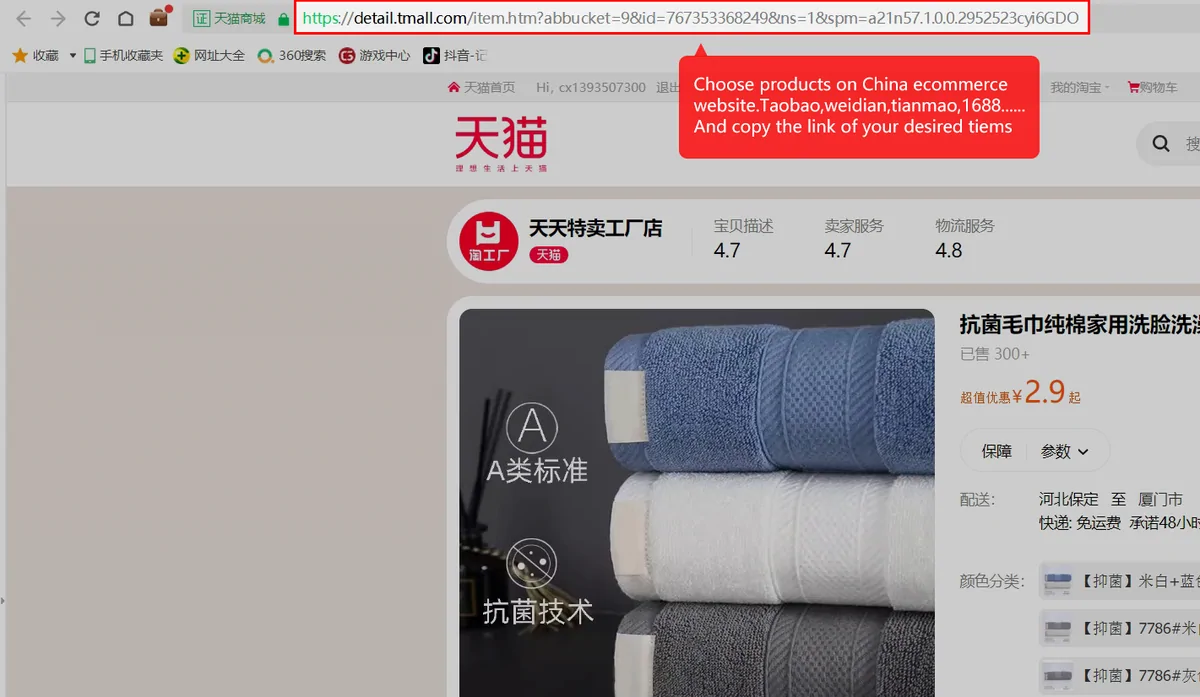
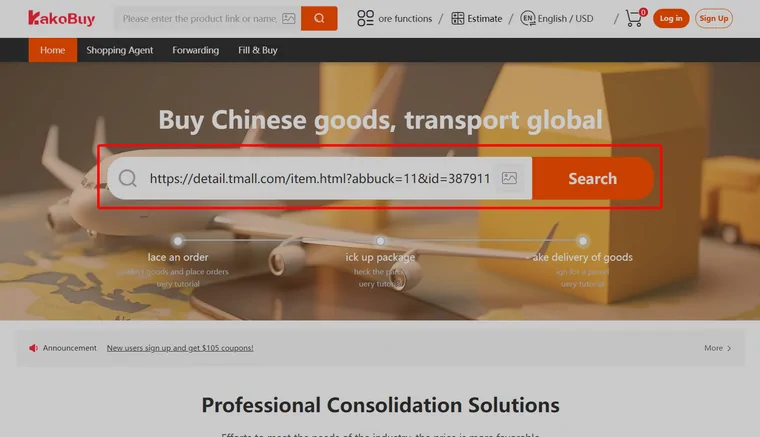
From URL to listing in one paste
The search bar accepts the raw URL, query strings and all. What comes back is a listing page: the seller's photos, a price in CNY with a converted figure beside it, and the variant menus.
One official tutorial frame shows the fields that matter on arrival: a source line naming the upstream platform, a stock counter, a sales counter, and the colour and size pickers. The listing you land on is one item from one seller; everything you choose from here on happens inside it.
If the paste returns nothing, check what you copied. The reader wants a product page. Album links, shop search results and share-card links from chat apps are the usual culprits.
What the listing will and will not promise
A crawled listing is an interface, not a verdict. The stock counter and sales counter come from the platform; the help centre's out-of-sale article explains that the buying team re-confirms stock with the seller only after you submit and pay, and keeps you posted if the seller's answer differs.
Changing your mind has a schedule. Before the seller ships, support can contact them for an exchange. After the seller ships, the next chance to swap anything is at the warehouse, with the return leg billed to you. The amendment article spells this out, and it is a good reason to settle colour and size while the listing is still in front of you.
For wholesale links there is one more clause: the warehouse counts boxes, not pieces inside a box. The 1688 purchasing rules state it plainly, so a carton short one unit is a seller conversation, not a warehouse one.
| Listing field | Where it comes from | How far to trust it |
|---|---|---|
| Source of the product | Named upstream platform | Check the actual source listing; platform-specific rules may apply |
| Price in CNY, converted beside it | Seller price at crawl time | Re-priced at purchase; wholesale prices shift with quantity |
| In stock and Sales counters | Platform figures at crawl time | Snapshots; the seller's answer after you order is the real one |
| Colour and size menus | Seller's variant table | Confirm the selected variant and stock; disabled controls need clarification |
| Remarks field | Free text you write | Read by a human buyer; precise beats polite |
Have a Taobao, Tmall, 1688 or JD product page open right now? The search bar on the official site takes the URL as-is.
Open KakobuyDocumented support versus the actual import
The retained help article names Taobao, Tmall, 1688 and JD as automatic product-import platforms. The Fill & Buy page gives examples of links handled through its manual form. Neither document is a live, exhaustive search-index test.
| Starting point | Useful next action | What remains to check |
|---|---|---|
| A product URL from a named platform | Try the official search bar | Actual import, variant, quantity, price and stock |
| A URL that cannot be identified | Read the manual form offered for it | Seller details, domestic shipping and current agreement |
| A picture without a source URL | Search by image, then inspect each candidate | Actual seller and specification, not just matching cover art |
| A product name only | Try a specific keyword or translated product term | Result relevance and the exact listing you intend to order |